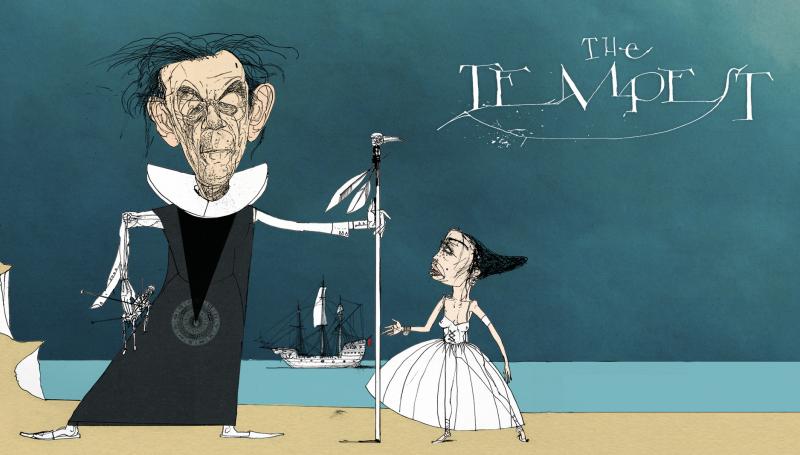
FYI: Ian McKellen, who first made his reputation performing at the Royal Shakespeare Company in the 1970s and 80s, has just released the first of a series of iPad apps meant to make Shakespeare’s plays more accessible, especially for high school and college students.
As McKellen explains above, Shakespeare’s plays were originally meant to be seen performed live in a theatre, not read as books. And so these apps feature actors performing dramatic scenes from the plays, while text scrolls by. They’ve just launched the first of 37 apps. It’s devoted to The Tempest, runs $5.99 on iTunes, and frankly seems well worth the price. Benedict Cumberbatch likes it. See below.
The full text of The Tempest as published in the First Folio.
A full digital version of Arden Shakespeare The Tempest.
The ability to switch between three different levels of notes depending on the level of reader’s needs.
A full breakdown and explanation of every character and all of their lines across every scene.
A linked historical time line of Shakespeare’s life, his plays, his theatres, and contemporary context to put it all into perspective.
Video explanations and discussions by both Sir Ian McKellen and Professor Sir Jonathan Bate on characters, themes, and the meaning of the play.
A full “play at a glance” with illustrations and summaries to explain the play’s plot with key quotes and events.
A history of all the major productions of The Tempest from the 17th century to the present day.
The option to make notes, copy and highlight text that can be collected, correlated and exported for later use.
The option to search the play’s full text and essays.
Santa left a new Kindle, iPad, Kindle Fire or other media player under your tree. He did his job. Now we’ll do ours. We’ll tell you how to fill those devices with free intelligent media — great books, movies, courses, and all of the rest. And if you didn’t get a new gadget, fear not. You can access all of these materials on the good old fashioned computer. Here we go:
Free eBooks: You have always wanted to read the great works. And now is your chance. When you dive into our Free eBooks collection you will find 700 great works by some classic writers (Dickens, Dostoevsky, Shakespeare and Tolstoy) and contemporary writers (F. Scott Fitzgerald, Philip K. Dick, Isaac Asimov, and Kurt Vonnegut). The collection also gives you access to the 51-volume Harvard Classics.
If you’re an iPad/iPhone user, the download process is super easy. Just click the “iPad/iPhone” links and you’re good to go. Kindle and Nook users will generally want to click the “Kindle + Other Formats links” to download ebook files, but we’d suggest watching these instructional videos (Kindle – Nook) beforehand.
Free Audio Books: What better way to spend your free time than listening to some of the greatest books ever written? This page contains a vast number of free audio books — 630 works in total — including texts by Arthur Conan Doyle, James Joyce, Jane Austen, Edgar Allan Poe, George Orwell and more recent writers — Italo Calvino, Vladimir Nabokov, Raymond Carver, etc. You can download these classic books straight to your gadgets, then listen as you go.
[Note: If you’re looking for a contemporary book, you can download one free audio book from Audible.com. Find details on Audible’s no-strings-attached deal here.]
Free Online Courses: This list brings together over 1100 free online courses from leading universities, including Stanford, Yale, MIT, UC Berkeley, Oxford and beyond.
These full-fledged courses range across all disciplines — history, physics, philosophy, psychology, business, and beyond. Most all of these courses are available in audio, and roughly 75% are available in video. You can’t receive credits or certificates for these courses (click here for courses that do offer certificates). But the amount of personal enrichment you will derive is immeasurable.
Free Movies: With a click of a mouse, or a tap of your touch screen, you will have access to 700 great movies. The collection hosts many classics, westerns, indies, documentaries, silent films and film noir favorites. It features work by some of our great directors (Alfred Hitchcock, Orson Welles, Andrei Tarkovsky, Stanley Kubrick, Jean-Luc Godard and David Lynch) and performances by cinema legends: John Wayne, Jack Nicholson, Audrey Hepburn, Charlie Chaplin, and beyond. On this one page, you will find thousands of hours of cinema bliss.
Free Language Lessons: Perhaps learning a new language is high on your list of New Year’s resolutions. Well, here is a great way to do it. Take your pick of 46 languages, including Spanish, French, Italian, Mandarin, English, Russian, Dutch, even Finnish, Yiddish and Esperanto. These lessons are all free and ready to download.
Free Textbooks: And one last item for the lifelong learners among you. We have scoured the web and pulled together a list of 200 Free Textbooks. It’s a great resource particularly if you’re looking to learn math, computer science or physics on your own. There might be a diamond in the rough here for you.
Thank Santa, maybe thank us, and enjoy that new device.…
If you would like to support the mission of Open Culture, consider making a donation to our site. It’s hard to rely 100% on ads, and your contributions will help us continue providing the best free cultural and educational materials to learners everywhere. You can contribute through PayPal, Patreon, and Venmo (@openculture). Thanks!
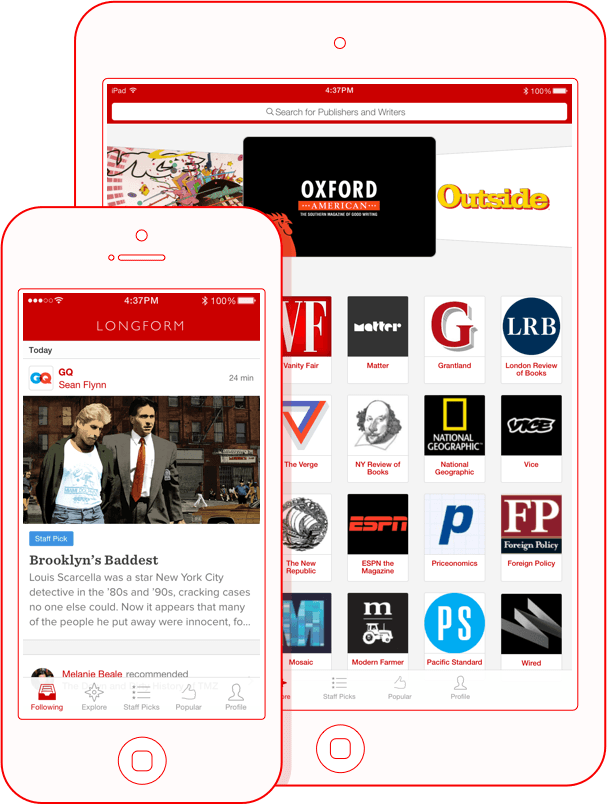
If you have managed to keep your attention span intact during this distracting information age, then you’re almost certainly familiar with Longform.org, a web site that makes it easy to find something great to read online, especially if you like reading informative, well-crafted works of non-fiction. Last week, Longform enhanced its service with the release of a new, free app for iPhone and iPad. It’s the “only 100% free app that filters out the internet junk and delivers nothing but smart, in-depth reads.” And, drawing on material from 1,000 publishers, the app lets readers “create their own custom feeds of high quality, feature-length journalism,” and then read it all on the go. It’s a mission that certainly aligns with ours, so we’re more than happy to give the new app a plug.
Sign up for our daily email and, once a day, we’ll bundle all of our daily posts and drop them in your inbox, in an easy-to-read format. You don’t have to come to us; we’ll come to you!
In 2012, the Los Angeles County Museum of Art (LACMA) unveiled a sprawling, exhaustive exhibit on Stanley Kubrick. And it had just about everything you might want on the great director. Early photographs he took for Look magazine in the 1940s? Check. The blood soaked dresses of those creepy twins from The Shining? You got it! Sketches, notes and documents about Napoleon, the greatest movie he never made? They had a whole room for that. For those cinephiles who worship at Kubrick’s altar, LACMA’s exhibit was akin to a visit to the Vatican. There were more holy relics there than you could shake a monolith at—oh, and they had one of those there too.
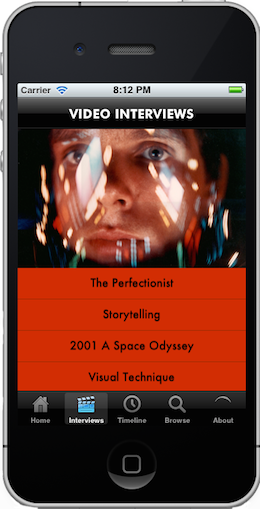
The exhibit wrapped up in June 2013. If you missed it and you are jonesing for more Kubrick memorabilia, take heart — LACMA designed an app in conjunction with the exhibit for the iPhone, iPad and Android and you can download it right now. For free. The app is about as sprawling as the exhibit (and it will take a bit of time to download) but it features hand drawn notes from Kubrick, behind-the-scenes pictures from all of his movies, and interviews with the director, plus ones with the likes of Elvis Mitchell, Christopher Nolan and Douglas Trumbull.
The only thing that the app and the exhibit didn’t cover is the ever-growing number of insane conspiracy theories surrounding his work. Want something about how The Shining is really about a faked moon landing or how Eyes Wide Shut is really about the Illuminati? Look somewhere else.
Jonathan Crow is a Los Angeles-based writer and filmmaker whose work has appeared in Yahoo!, The Hollywood Reporter, and other publications. You can follow him at @jonccrow.
Chess has been experiencing a surprising revival as of late, with the World Championships making headlines for the first time in years. As it was during the days of Bobby Fischer and later Garry Kasparov, the resurgence is largely the doing of one man: Norway’s 23-year-old chess phenom, Magnus Carlsen. After having attained the level of a grandmaster at the age of 13, Carlsen had a string of spectacular victories that culminated in his win over India’s Viswanathan Anand in the world championships this past November. Carlsen also holds the highest rating in the game’s history. Oh, and he beat Bill Gates in 79 seconds (here’s a video). What’s next for the reigning king of chess? A free iOS chess app, of course.
The Magnus Plays app, which allows users to play against a simulated Carlsen, was released this past Tuesday. If you’re worried that your technical prowess may not stack up against the new face of chess, don’t worry: the app relies on a vast database of moves that Carlsen used throughout the years, allowing you to play him anywhere from the ages of 5 to 23. I’m not a particularly adept chess player, but I didn’t have too much trouble with Carlsen at his youngest. The victory bolstered my confidence, so I decided to skip to Carlsen’s current 23-year-old self. As much as I’d like to discuss the outcome of the second game, it’s probably best to skim over the results. Suffice it to say that I have room for improvement. Luckily, the app also has a “Train With Me” section, where Carlsen provides video tutorials (some free, and some paid) on how to improve your game. If you’re feeling like you’ve lost a few IQ points after repeated bouts with Flappy Bird, Magnus Plays is a great alternative.
Earlier this month NASA announced that the Hubble Space Telescope found evidence of a planet forming 7.5 billion miles from its star. This astonishing discovery challenges all of our current theories about how planets develop.
A few days later, Hubble captured images of two galaxies merging.
Hubble has been in orbit since 1990, collecting images with one of the largest and most versatile telescopes designed for deep space. No single tool has done as much to advance astronomical public relations in recent years.
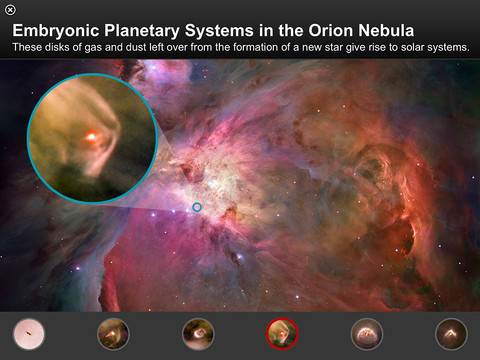
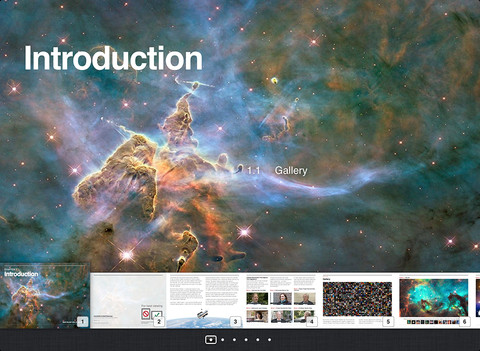
Hubble’s development, launch and discoveries are the subject of a new, free interactive e‑book (best viewed on the iPad) that brings to life Hubble’s distinguished service as our eye on the universe.
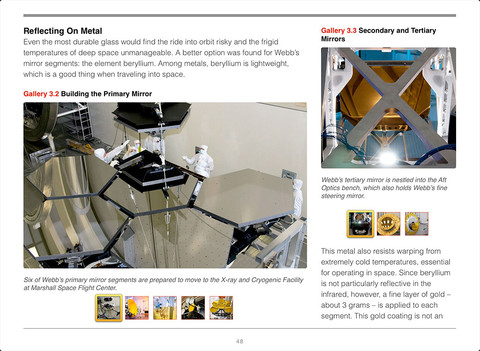
For almost as long as Hubble has been in space, NASA has been working on the next generation space telescope. The James Webb Space Telescope will feature a mirror three times the size of Hubble’s. Once launched, the telescope will travel far beyond our Moon. NASA’s free e‑book about the Webb Telescope reveals the preparation going on to get the new tool ready for take-off.
Its large mirror and distant viewing position are expected to give Webb’s images higher resolution and sensitivity, allowing scientists to study the birth and evolution of galaxies as well as the formation of stars and planets.
The e‑books are written at a high school level and can be viewed on an iPad using a free iBooks app. If you don’t have an iPad, no need to worry. A non-interactive version of the Hubble eBooks is also available, as is one about the Webb Telescope.
Even if you don’t know classical music, you know Ludwig van Beethoven’s Symphony No. 9. Finished in 1824, Beethoven’s final complete symphony, and the first from any major composer to use voices, has risen to and remained at the top of the Western orchestral canon as one of the most frequently performed symphonies in existence. The Japanese have even gone so far as to make it a New Year’s tradition. I remember, when first learning the Japanese language, watching an educational video about an amateur neighborhood chorus converting the original German into more readable Japanese phonetic script, so as to better sing it for their celebration. A charming story, to be sure, but at the top of the post, you’ll find Beethoven’s 9th rendered with the exact opposite of amateurism by the Wiener Philharmoniker, with Leonard Bernstein conducting. (Part one, Part Two, Part Three, Part Four.) Then again, at the root of “amateur” lies the term “to love,” and who would dare accuse Bernstein, however consummately professional a man of music, of not loving this symphony?
“I’ve just finished filming and recording the great 9th Symphony,” Bernstein says in the clip just above, describing how the experience got him thinking about historical dates. “My associations led me back to the year of my own birth, 1918, the year of the great armistice which brought the First World War to an end. Now, I had the key. The password was peace, armistice, brotherhood — ‘ain’t gonna study war no more.’ Peace, brotherhood, we are all children of one father, let us embrace one another, all the millions of us, friendship, love, joy: these, of course, are the key words and phrases from [Friedrich] Schiller’s [“Ode to Joy”] to which Beethoven attached that glorious music, ranging from the mysterious to the radiant to the devout to the ecstatic.” You can also watch the performance that put Bernstein’s mind on this track as one of the many included in Beethoven 9, Deutsche Grammophon’s first iPad/iPhone/iPod app. For free, you get two minutes of the symphony with all features enabled. “The full experience,” their site adds, ” is then unlocked through In-App Purchase.”
We all need guides for the overwhelming world of the Internet. Digital curators are essential to sifting through the vast and expanding supply of online content because they find the good stuff that’s worth checking out.
When Download the Universe launched a year ago, the digital world gained a smart and discerning curator for the growing number of science ebooks. What a boon for science lovers. Science lends itself uniquely to apps and ebook publishing. And doing what digital publishing does best, a good ebook can bring content to life like no paperback or hardcover can.
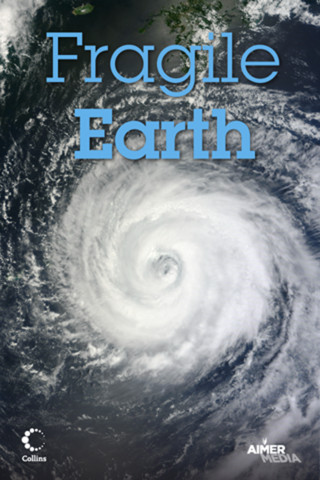
Take Harper Collins’ Fragile Earth ($2.99 on iTunes), which came out originally as a glossy coffee table book. Loaded with before and after photos of places on the planet scarred by deforestation and climate change, the book was visually stunning, if pedantic. But when released as an ebook, the whole experience unfolded like a beautiful, heartbreaking origami.
As Download the Universe’s review of the Fragile Earth ebook points out, the app version benefits from digital technology, laying before and after satellite images over one another, rather than side by side, making the experience of seeing them even more profound.
Here’s another one: Color Uncovered (free on iTunes), produced by San Francisco’s Exploratorium Museum, is a rich experience like a museum exhibit itself. Combining text with images and interactive features, the ebook explores how the eye perceives color. The reviewer, New York Times contributor Carl Zimmer, uses his review to discuss what the ebook experience shares with museum exhibits.
In the hands of Download the Universe, it appears that ebook publishing has matured into its own genre, with its own distinct advantages.
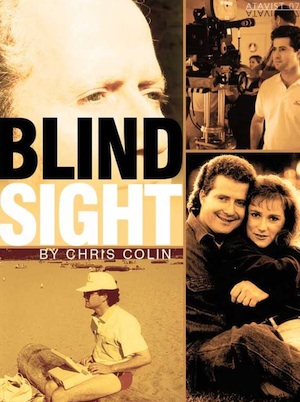
Sometimes ebook publishers don’t make good use of available features. This review of Blindsight by journalist Chris Colin notes that the book’s app version, telling the story of a television director who suffers a brain injury, should have included neurological background information in the main story, not as a separate feature.
Download the Universe only reviews ebooks in the digital universe, not spin-offs from traditional print books. They look at Kindle products, self-published pdf manuscripts and apps, and they’ve got top-notch talent reviewing this brave new world on our behalf. The editorial board includes some names you may well recognize, like Sean Carroll (Caltech physicist), Steve Silberman (Wired), Maggie Koerth-Baker (Boing Boing), Annalee Newitz (io9), and David Dobbs (NYTimes, Nat Geo, etc.).
We're hoping to rely on loyal readers, rather than erratic ads. Please click the Donate button and support Open Culture. You can use Paypal, Venmo, Patreon, even Crypto! We thank you!
Open Culture scours the web for the best educational media. We find the free courses and audio books you need, the language lessons & educational videos you want, and plenty of enlightenment in between.
 In 2012, the